Internal Links: Why They're Indispensable, Plus 5 Tips and Tools for SEO Success!
 Joram BoonSEO and content specialist
16 October 2024 · updated 8 October 2024
A lot of SEO advice is about content, keywords and backlinks, but forgets about linking internally between your own pages.
It's not sexy or high-tech, but it is effective, and it always will be. After all, it's the foundation of the World Wide Web, but we'll explain that in a moment.
But first, in this article you'll find out what internal links are, why they matter, and we'll give you SEO tips on how to use them, including SEO tools.
So read on and learn: we'll start with what an internal link actually is.
What Is an Internal Link?
Internal links connect pages within a website itself and help visitors and search engines navigate easily from one page to another.
To really understand this and lay a solid foundation, let's briefly dive into the history of the internet and the World Wide Web. We'll keep it short, promise…
A Brief History of the World Wide Web and the Role of Internal Links
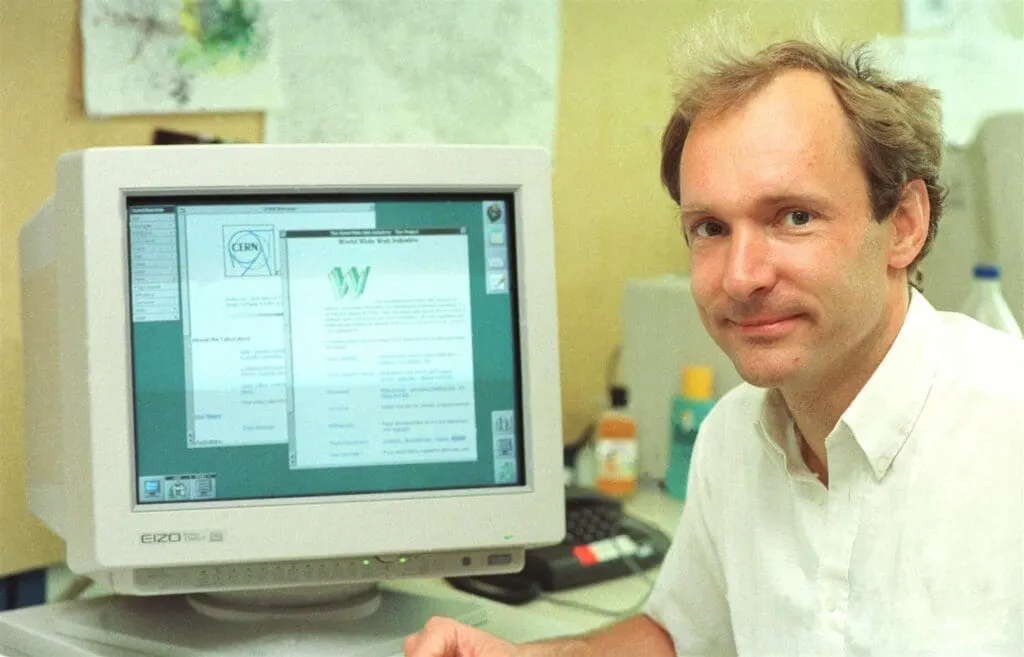
In 1989, Tim Berners-Lee developed the World Wide Web to connect computers at universities and research institutions via hyperlinks (internal and external links), so researchers could quickly find and share information.
Eventually, in 1993, it was made publicly available worldwide by the research organisation CERN, where Tim Berners-Lee worked, and the internet as we know it today was born.
Internal Links in Today's World
Now, almost 35 years later, internal links are a core part of the web and play a big role in SEO. Search engines such as Google use these links to determine how important and relevant your content is, and what your website's structure looks like.
Pages that receive a lot of internal links are seen as more important and have a better chance of ranking well in search results.
In short, internal links are the glue that holds your website together and make sure search engines find their way to all your valuable content. They form the basis of a good user experience, and that helps your SEO results too.

What Is an Internal Link Structure?
An internal link structure is the way (structure) in which the pages within your website are connected to each other through links. Think of it as a network in which every page provides access to other relevant pages.
There are two popular methods: the silo method and the hierarchical pyramid method.
The Silo Method
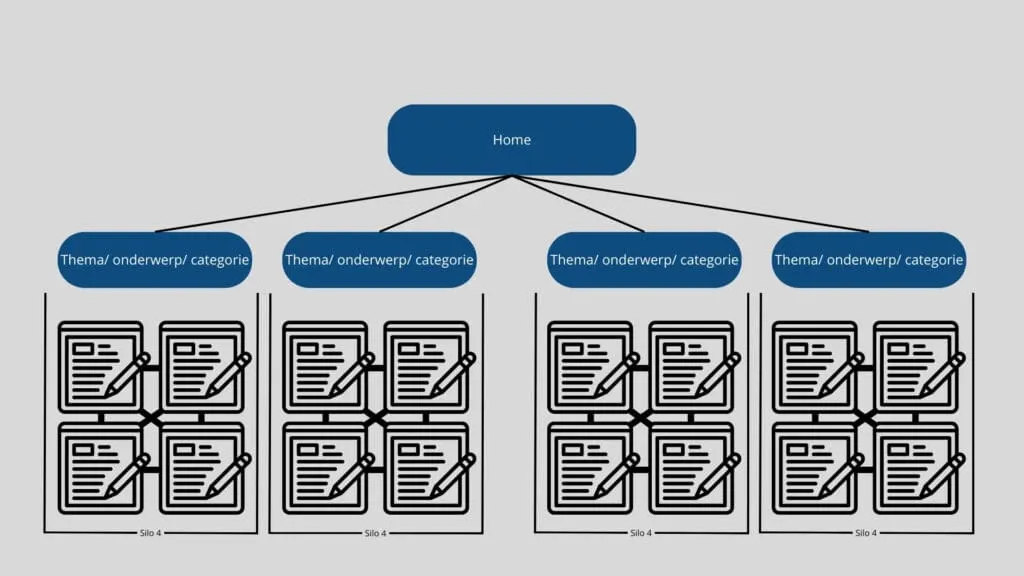
With the silo method, content is grouped into themes or categories (silos), where all pages within the same silo link to each other. Links between different silos are kept to a minimum.
This strengthens authority per theme, because Google sees your site as a specialist on that specific topic.
Example: An audio online store could have a silo for “speakers” and another for “amplifiers.” Within the speakers silo, pages link to each other, but there are hardly any links to the amplifier pages.
The Hierarchical Method
The hierarchical method is based on a clear structure for your website, where you start with the most important pages (such as your homepage or category pages) and link from there to subpages or less important pages.
You can picture this as a pyramid: your homepage sits at the top, your main categories come below that, and further down you link to specific products or blog articles.
This gives search engines and users a clear overview of what the most important content on your site is, while also helping to pass link juice (link authority) from the homepage on to other pages.
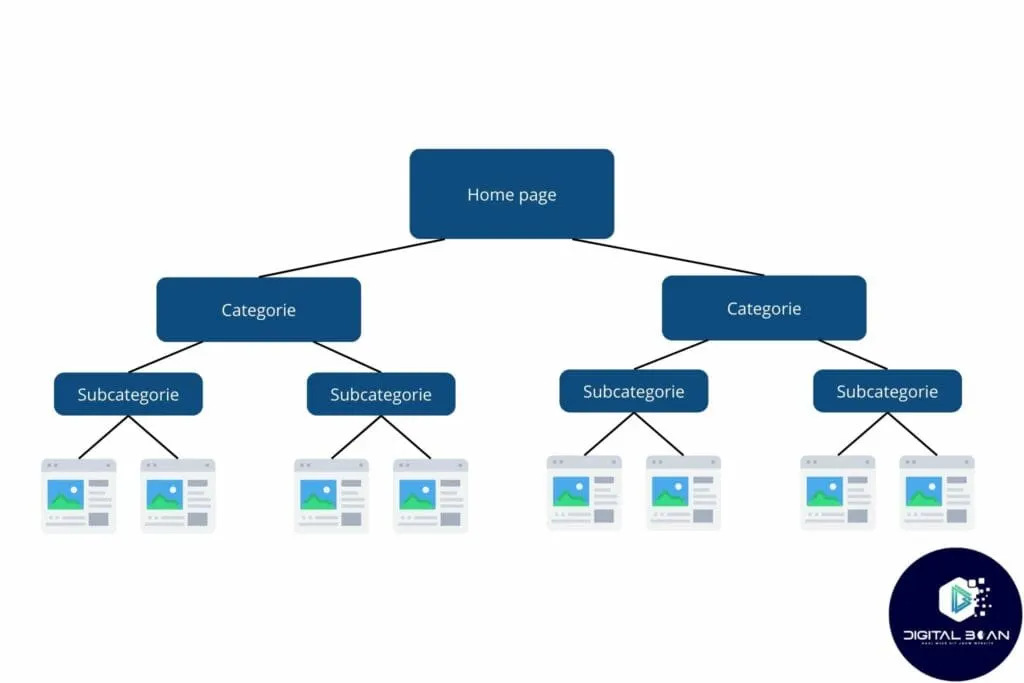
In short, silos strengthen authority within a theme, while pyramids spread authority more evenly across the site.
At the end of the day, it's all about having a clear structure to your website for both visitors and search engines. So don't overthink which one you choose: pick one and get started with it.
5 Reasons Why Internal Links Matter
Internal link building might not be the sexiest SEO technique, but it is effective. Here's why:
- Internal links create better navigation through your website. This means visitors find what they're looking for faster, stay on your site longer and click through to other relevant pages. Google sees longer sessions as a signal of good content.
- Search engines use internal links to find and crawl pages on your website. If certain pages have no internal links, they're called orphan pages (pages that no links point to), and crawlers can struggle, or fail, to find them.
- Internal links spread ‘link juice’ (the value of a well-ranking page) to other pages. This helps give a boost to underperforming pages and improves your website's overall SEO performance.
- Better rankings through a clear hierarchy. A well-built internal link structure shows search engines which pages matter most. This helps Google understand your site better and gives you a better chance of ranking higher in search results.
- Visitors stay engaged. Internal links invite visitors to keep clicking and discover more of your content. The more pages they visit, the stronger the signal to search engines that your site is valuable and engaging.
In short, internal link building isn't just an SEO trick. It's a fundamental part of a well-optimised website that helps search engines understand your content and helps users navigate your website easily.
5 Tips for Rock-Solid Internal Linking!
1. Use Descriptive Anchor Text
Make sure your anchor text clearly indicates what the linked page is about, or explain it in the context around the link.
Instead of “click here,” use something like “SEO tips for beginners.” This helps both visitors and search engines better understand what to expect.
But this isn't a hard rule: you can occasionally use “click here” too, as long as the context around the link makes clear what it's about.
2. Number of Links per Page
A good rule of thumb is to use 3 to 10 internal links per page, depending on the length of your content. Longer articles can carry more links, while shorter pages benefit from fewer.
A simple question to ask yourself is: “Will this page help people further in their search for information?” If so, feel free to add the link.
3. Pick One Structure and Stick with It
Whether you choose a silo structure or a hierarchical pyramid structure, it's important to stick to one model. This makes your site clearer and easier for search engines to crawl.
Make a mind map or sketch to visualise the structure. This gives you a clear overview and helps you set up a logical flow.
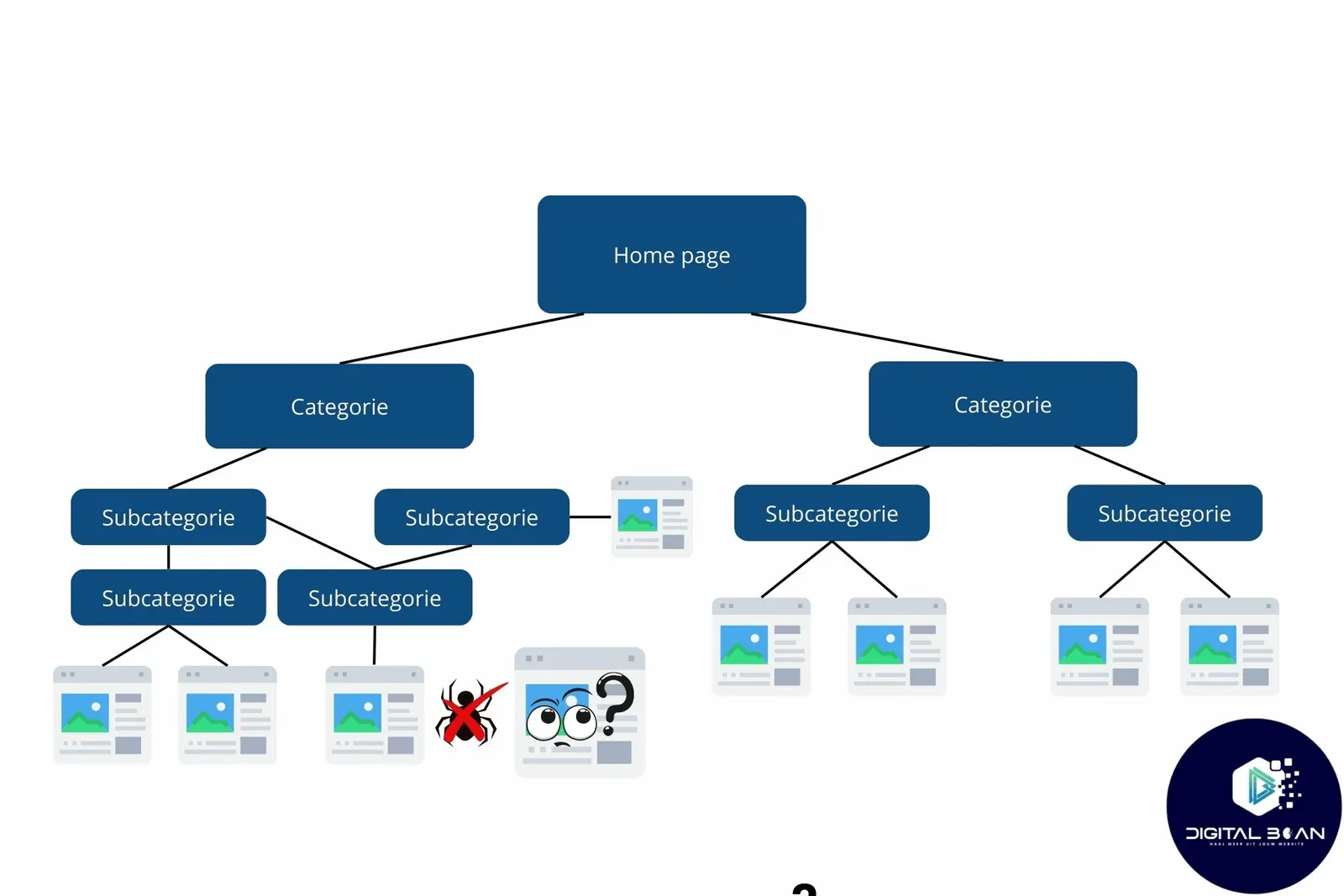
4. Regularly Check for Broken Links and Orphan Pages
Broken links are bad for both your visitors and your SEO. Use tools such as Screaming Frog or Google Search Console to track them down and fix them quickly.
Also make sure you don't have any orphan pages: these are pages that no internal link points to at all. Every important page should receive at least one internal link.
5. Add Internal Links to New and Old Content
Every time you publish new content, make sure to add internal links to older, related pages. This helps visitors keep reading and encourages search engines to crawl other parts of your site.
The reverse is also true: update old pages by adding internal links to your new content. This keeps your website up to date.
3 SEO Tools for Optimal Internal Linking
Setting up and maintaining a strong internal link structure can be a challenge, but fortunately there are several tools that can help you with this. Here are three powerful SEO tools you can get started with straight away:
Google Search Console
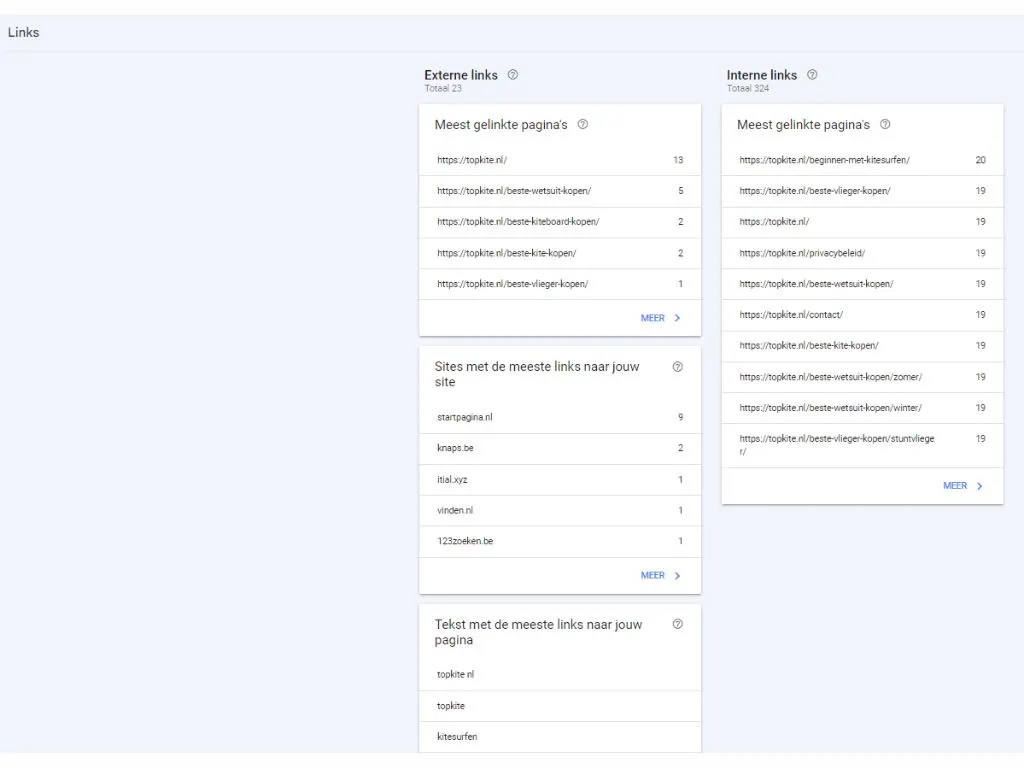
Google Search Console offers a free, easy way to get insight into your internal links. You can see exactly which pages receive the most internal links and which pages might need more attention.
A handy feature is that you can filter for pages with few or no internal links, so you can optimise in a targeted way. This makes sure your most important content is well supported by the rest of your website.
Benefits:
- Free and user-friendly.
- Immediate insight into internal links and pages that could use extra link juice.
- Helps you discover pages that aren't linked to often enough yet.
Check out our full guide to Google Search Console here and get insight into your SEO performance!
Screaming Frog
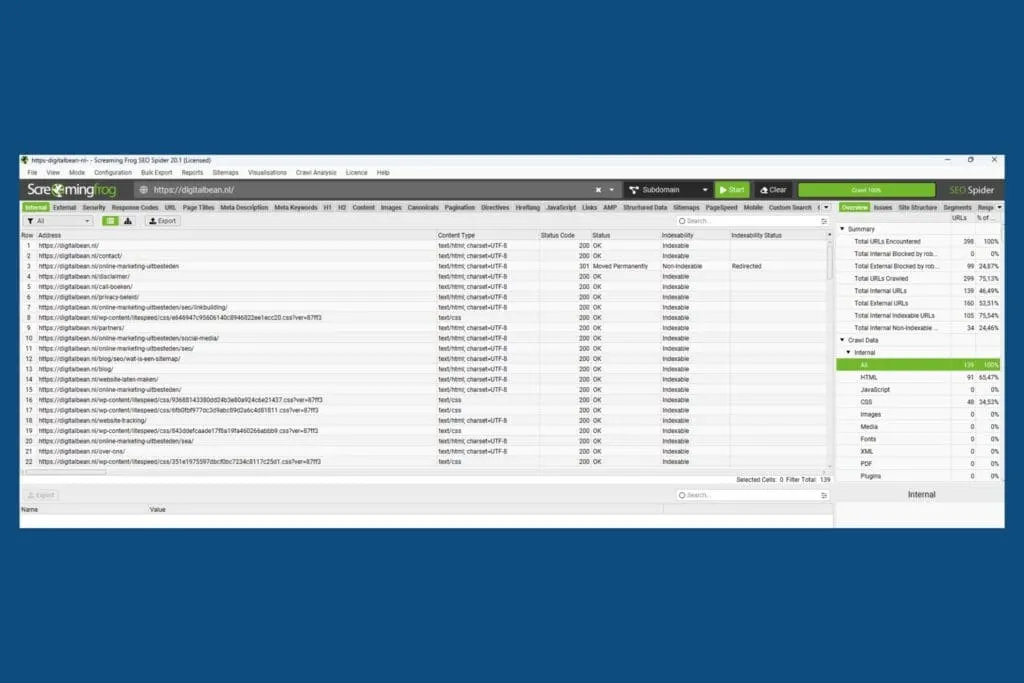
Screaming Frog is a powerful tool that crawls your website and gives you a visual overview of your internal link structure. This helps not only with identifying broken links, but also with spotting orphan pages (pages with no inbound links), which search engines can struggle to find.
What's more, Screaming Frog lets you group your pages into clusters to get a clear picture of how well they're internally connected.
Benefits:
- Identifies broken links and orphan pages.
- Creates a clear visualisation of your internal link structure (check it out here).
- Has practically endless options for optimisation.
Yoast SEO
For those working with WordPress, Yoast SEO is an indispensable tool. This plugin analyses your content and gives suggestions for internal links while you're writing new pages or blog posts.
It makes sure your existing content gets smartly linked to new content, which improves your website's overall cohesion and visibility in search. Yoast also assesses the readability and SEO of your content, so you optimise several aspects at once.
Benefits:
- Automatic suggestions for internal links as you write.
- Improves your internal link structure without needing extra tools.
- Easy to integrate into WordPress for continuous optimisation.
Time to Put Those Internal Links into Action!
Internal links might seem small, but their impact on SEO is huge. In this article, we've covered exactly what internal links are, what a strong internal link structure looks like, and why internal link building matters so much for your rankings.
We've also given practical tips for an optimal internal linking strategy, and shared handy SEO tools that can help you with it.
Now it's up to you to apply these insights. Whether you're just starting out or want to improve your current strategy, internal links are a powerful tool for making your website easier to find.
Need help optimising your internal linking or other SEO aspects? Feel free to book a no-obligation call with us. We're happy to think along with you and make sure your website performs where it counts.