What Are Keywords and How Do You Find the Right Ones?
 Joram BoonSEO and content specialist
7 February 2024
Keywords are the words you used to search for this information. They're the words you type into search engines to find information, or use in your Google Ads campaign to advertise on specific search terms!
Keywords form the bridge between what people search for and the content you offer.
In this article, you'll learn: what keywords are, why search terms matter and how to find them. Oh, and at the end we've got a bonus tip that 90% of people forget to apply!
Key Takeaways…
Keywords form the bridge between users and content. Understanding and strategically using both short-tail and long-tail keywords makes a big contribution to your online visibility and success.
- Short-tail keywords (1-3 words) have high volume, but also a lot of competition. Long-tail keywords (3+ words) often have low search volume, but also little competition.
Good keyword research is the starting point of a solid online marketing strategy. Using tools such as Google Keyword Planner, Ubersuggest, and AnswerThePublic, as well as techniques like ‘allintitle:’ searches and exploring forums such as Quora and Reddit, can help you identify valuable keywords.
- Number four is the bonus tip, but that one won't be given away so easily, haha!
What Are Keywords?
Keywords are the terms and phrases people use to run searches in search engines, such as Google, to find information, products or services.
These so-called ‘search terms’ play a big role in both SEO, SEA and, really, your overall online visibility!
Say someone searches for “cycling routes in the Netherlands”. The words “cycling routes” and “Netherlands” are the keywords here. Websites that strategically use these search terms in their content increase their chances of ranking high in the search results for this search.

Short-Tail and Long-Tail Keywords, What's That!
Now you might be thinking, what are you on about! But there's a big difference between short-tail keywords and long-tail keywords, and it can turn your SEO/ SEA strategy into a HUGE success with a fantastic ROI, or into an expensive strategy with little to show for it!
Short-Tail Keywords: These are short terms, usually one to three words, with a high search volume. They're broad and competitive. Examples are “bikes” or “holiday Netherlands”. While they can generate a lot of traffic, they're often less targeted and more competitive.
Long-Tail Keywords: These consist of longer phrases and are more specific in nature. Examples are “best cycling routes for families in the Netherlands” or “affordable cycling holidays in Limburg”. They attract less search traffic, but this traffic is often more targeted and has a higher chance of converting. And generally, these terms face less competition! We have a full article about this, check it out here. <==

In our view, succeeding with online marketing comes down to understanding your target audience! What are they looking for, which problems are they trying to solve, and how do they phrase their searches? Asking those questions lets you create great content that matches what internet users need, and that's exactly what search engines want!
Finding Keywords with Keyword Research (Free)
Finding keywords isn't all that hard. But then comes the question ‘What makes a good keyword?’. Here are a few tips for finding suitable search terms…
Tip 1: Know Your Target Audience and Their Problems
It all starts with a deep understanding of your target audience. Who are they? What are their needs, interests, and problems?
Write these down on paper or in a Word document. This can help you set the initial direction for your keyword research and content strategy.
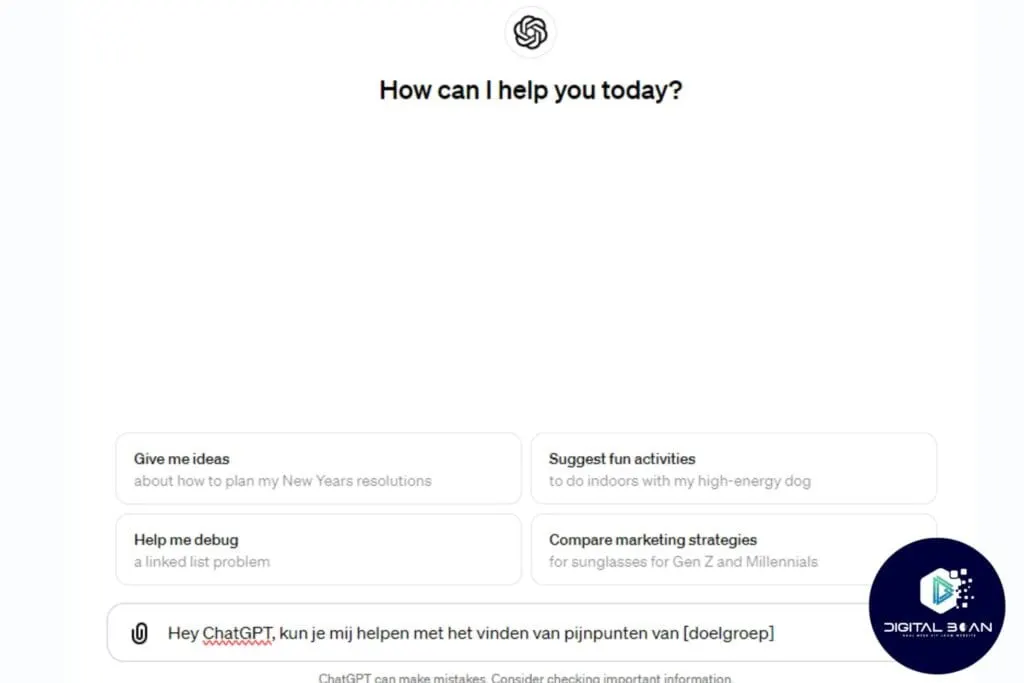
ChatGPT is really handy for this! Give it clear context about your target audience, then start asking about their problems and interests. With a bit of follow-up questioning, you can get a whole list of problems and interests down on paper!
Tip 2: Use the Search Bar or the ‘People Also Ask’ and ‘Related Searches’ Sections
Now that you have your direction, you can use the simplest technique of all: the ‘search bar’. Start typing a term, then slowly work your way through the alphabet: each letter gives you a few autocomplete suggestions.
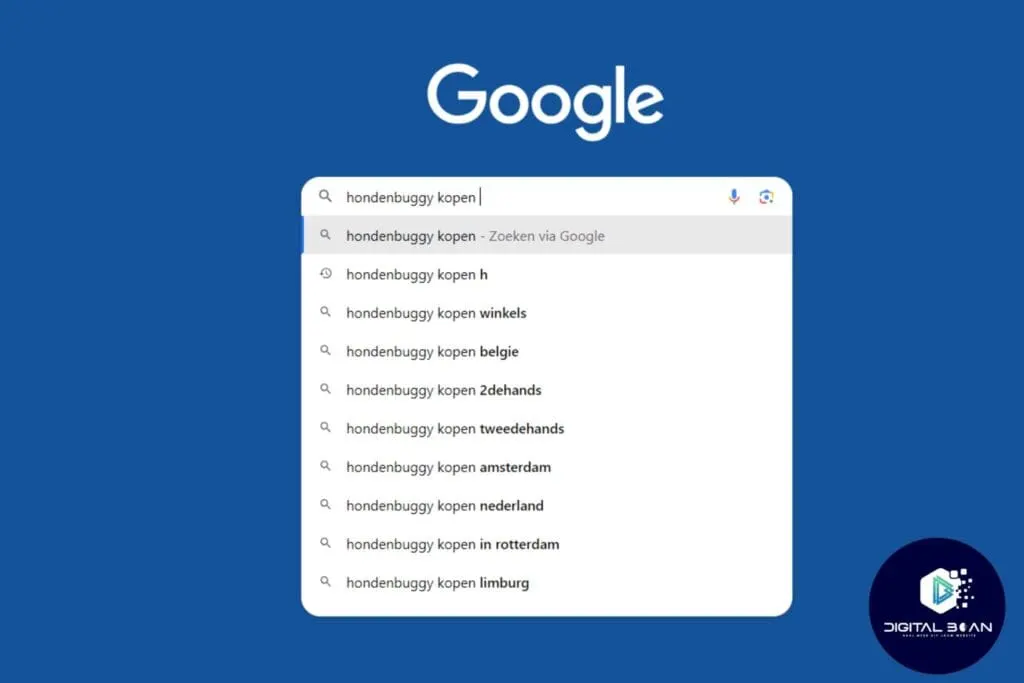
Once you've done that, take a look at the ‘people also ask’ and ‘related searches’ sections too. A goldmine for long-tail keywords! This also lets you see ‘how’ people search, so you can play into that.

Tip 3: Do a Free Competition Analysis with ‘allintitle:’
Finding search terms is one thing, but then you still need to work out which ones you can actually rank for and which you can't. That's where a competition analysis comes in. Luckily, Google has a handy feature built right into the search engine!
By typing ‘allintitle:’ followed by your search term (e.g. ‘dog buggy’), you'll see above the search results how many pages contain that term. As you can see, for dog buggy that's only 5,000! Nice and low competition then, especially when you consider that ‘dog’ has more than 2 MILLION results!

Tip 4: Use Google Trends
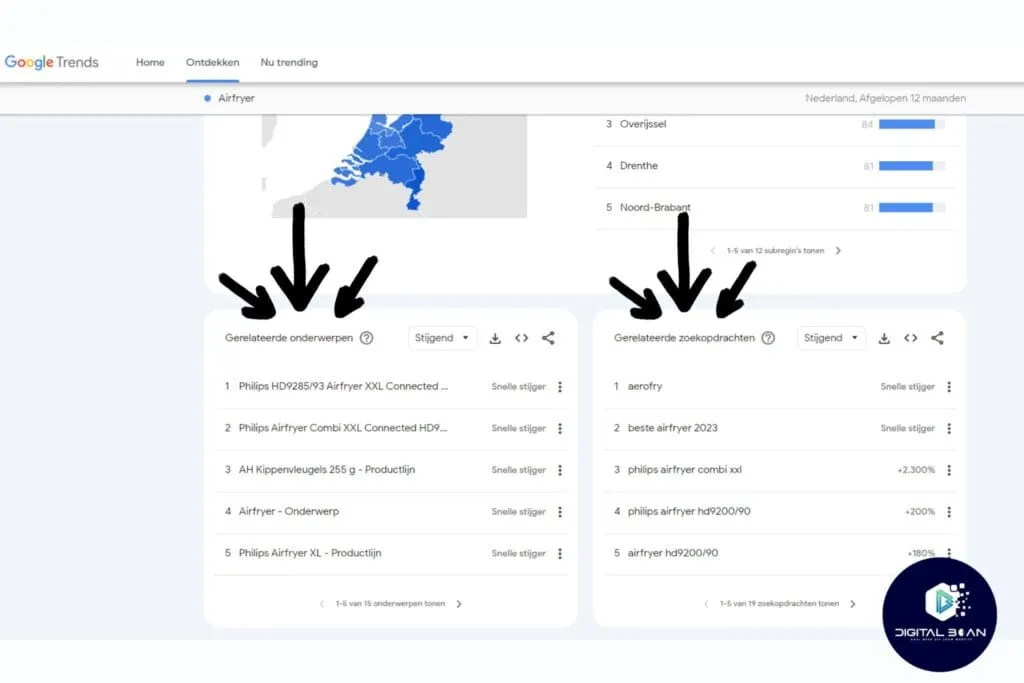
Google Trends is an SEO tool for analysing how the popularity of certain search terms changes over time. It helps you identify seasonal trends, regional preferences and emerging topics, which is really valuable when choosing your search terms. And best of all, it's FREE!
Tip 5: Use Forums Such as Quora and Reddit
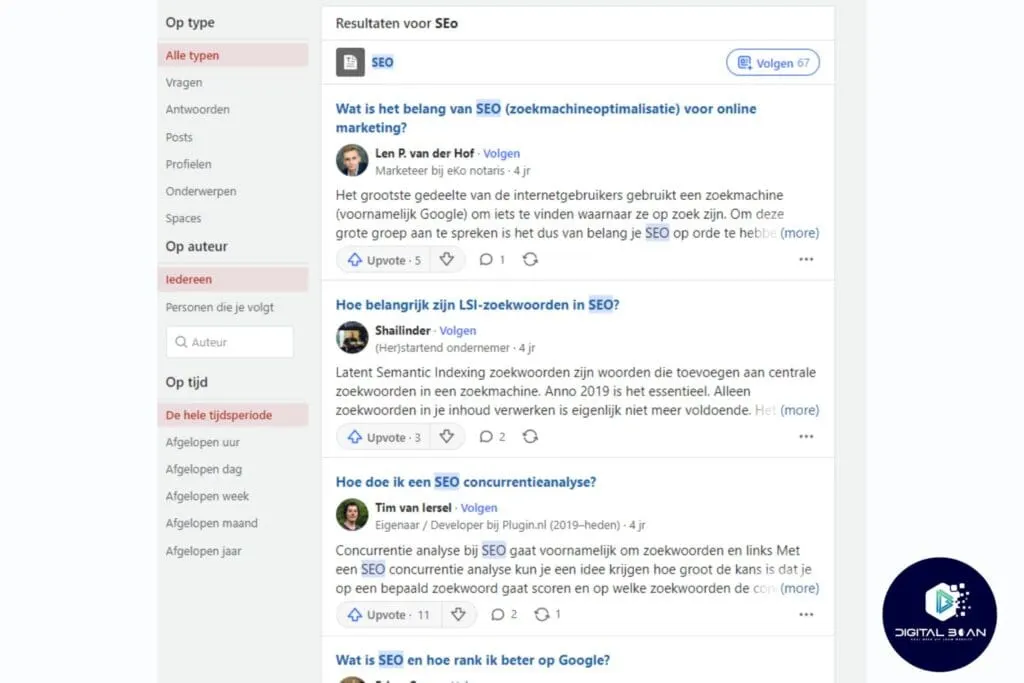
Forums and Q&A sites such as Quora and Reddit are goldmines for search terms. They give you a really realistic picture of how, and which words, people use to find their information! Pay attention to the exact wording and phrases people use to frame their questions and answers.
Not fancying any of this, and would rather focus on your business? Fair enough! Luckily, we're wildly enthusiastic about online marketing and are more than happy to help you with it! So if you're the kind of entrepreneur who stays focused on what they're good at and knows how to prioritise, let's take a no-obligation look at the possibilities together!
SEO Keyword Research Tools
For those who still want to give it a shot themselves, you're probably wondering: is there a free keyword tool too? The answer is… YES! Here are the best SEO tools for keyword research, free and paid.
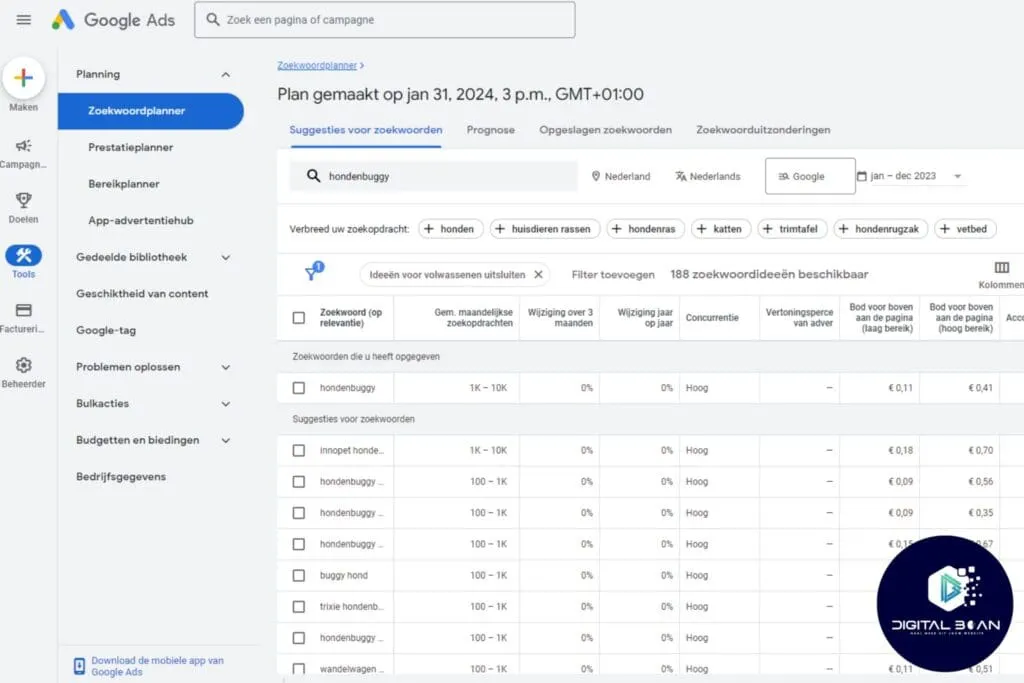
1. Google Keyword Planner (Free)
Perfect for both beginners and pros, this keyword planning tool from Google is normally used mainly for ad campaigns (SEA), but it also helps you get insight into search volumes and related search terms. Ideal for giving your strategy a kickstart!
Check out the Google Keyword Planner here!
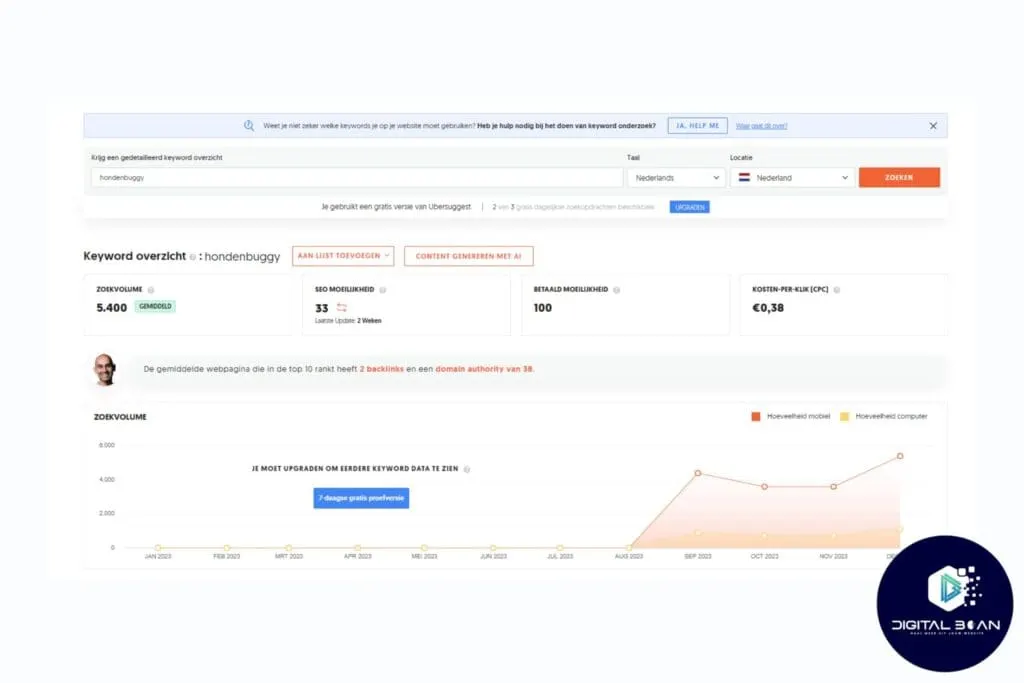
2. Ubersuggest (Free)
Developed by Neil Patel, a well-known SEO guru, Ubersuggest offers handy insights such as search volume, a competition metric, seasonal trends and much more. The paid version also shows how strong the buying intent is! Handy for the online store owners among us!
3. AnswerThePublic (Free)
This unique, visually appealing tool helps you discover what people are asking about certain topics. It's great for generating content ideas and understanding your audience's search intent, and we use this tool regularly ourselves too. More on search intent in a moment, by the way!
Check out AnswerThePublic here!

Paid Tools for Advanced Keyword Research
Here are a few more paid tools that can help you find the best terms.
SEMrush:
An all-in-one SEO tool that gives you in-depth insight into keywords, competitor analysis, search intent and much more, genuinely A LOT more. SEMrush is ideal for those who take their SEO strategy seriously.
Ahrefs:
Known for its powerful backlink analysis, Ahrefs also offers detailed keyword research, which makes it a favourite among SEO professionals, us at Digital Bean included! We use this tool to find online opportunities for you!
KWFinder
Specifically designed for finding low-competition long-tail keywords, KWFinder is perfect for discovering unique opportunities in your niche. On top of that, KWFinder is also really beginner-friendly! Matthijs (founder) actually started out with this very tool.
Choose the Tool That Works Best for You!
The free tools are great for getting started and experimenting, while the paid tools are better suited to deeper research and strategy development.
Try out different options, paid versions often have a trial period, and see what works best for you!
Bonus Tip… Don't Forget Search Intent!
Search intent is the ‘intent’ behind someone's search, and Google can now assess this pretty accurately! In other words, this matters, and a lot of people forget to apply it!
Officially, there are 4 types of search intent. Here they are…
- Informational intent, here the user is looking for information; ‘how do I make an apple pie’ is a good example.
- Navigational intent, here people are looking for a specific page, usually login pages.
- Commercial intent, here people are still comparing options, “best smartphone 2024” for example.
- Transactional intent, these are the moneymakers, think of ‘buy nike running shoes’.
But in my (Joram Boon) opinion, there's a fifth: local intent, ‘hairdresser Hilversum’ for example. Although you could also argue that's a mix of commercial and navigational intent. Feel free to jump into the discussion in the comments, I'm curious what you all think!
We got side tracked… by researching, understanding and applying search intent, your content becomes incredibly relevant. And your visitors appreciate that, but Google appreciates it enormously too!
Check out our article about ‘search intent’ here! <==
Find the Right Keywords and Seize Your Online Opportunities!
Keywords are your bridge to online visibility. Without using search terms, you'll never reach your full potential online or beat your competition.
We've covered a few tips and SEO tools you can use to do your own keyword research and build your content or advertising strategy!
Want to make the most of your online presence? But don't feel like pouring time into something you're not passionate about? At Digital Bean, we're ready to help with real enthusiasm and expertise in SEO and SEA. Let us help you make the most of your online marketing potential.
Get in touch for a no-obligation conversation about how we can help grow your business online. Talk soon!