10 SEO tips to help your product pages score better!
 Joram BoonSEO and content specialist
26 June 2024 · updated 11 June 2024
You've got beautiful product pages for your e-commerce store, but are you actually getting the most out of them?
Many e-commerce owners miss the chance to optimise their product pages for search engines, losing out on visitors and potential revenue as a result. Such a shame!
But imagine that with a few simple tweaks, your products rank higher in the search results and your revenue goes up. Sounds good, right?
In this article, we share 10 practical SEO tips to help your product pages score better. Grab this opportunity with both hands and read on!
1. Optimise your product title for the product name
It's essential to optimise your product title for the specific product name rather than the general category name. This helps search engines understand exactly what your page is offering, making your product easier to find for people searching specifically for it.
For example, instead of "Sportswear - Running Shoes," use "Nike Air Max Running Shoes." This gives both search engines and customers a clear picture of what to expect.
Of course, the category name can still be useful. Work the category into the rest of your page content, such as in the description or subheadings (H2 and H3). That way, you benefit from the category's relevance without it coming at the expense of your product's specific search intent.

2. Write unique product descriptions with keywords
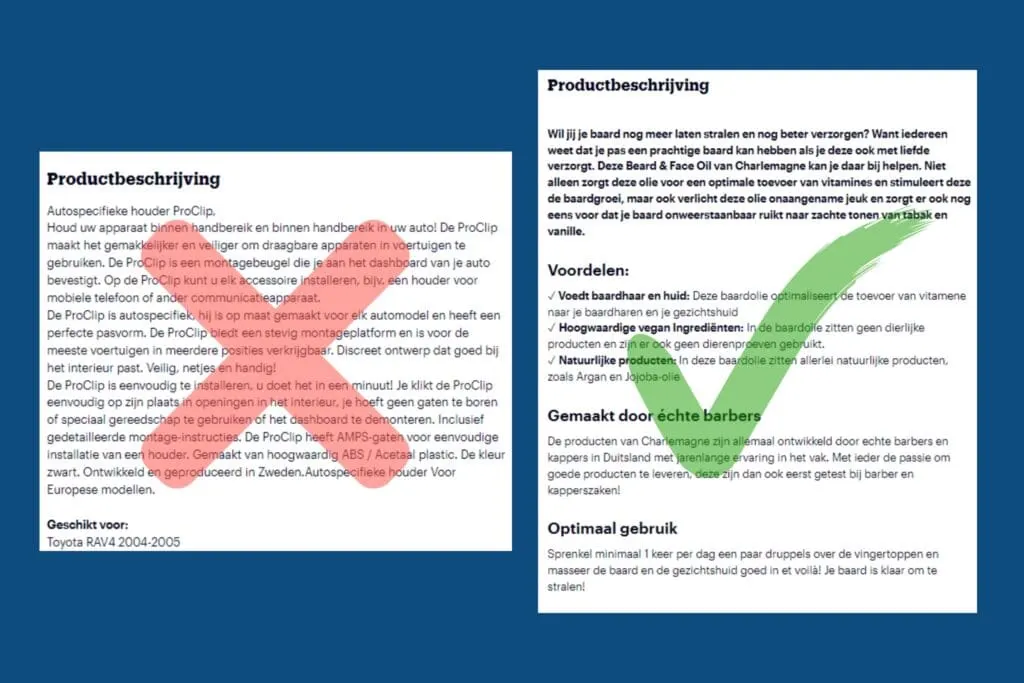
Copying product descriptions from suppliers is a common mistake. This creates duplicate content, meaning the same text appears on multiple websites. Search engines penalise this, causing your pages to rank lower. On top of that, these standard descriptions often lack the right keywords and tend to be low quality.
To make your product pages stand out, you need to create unique product descriptions. Start by translating the specifications into benefits. Explain what the product does and why it's useful for the customer.
For example, instead of simply stating that a jacket is waterproof, you could say the jacket keeps you dry through the heaviest downpours, perfect for adventurers.
Don't forget to describe who the product is suitable for. Is it ideal for busy professionals, sports enthusiasts or young parents? This helps your audience identify with the product.
Want to really impress? Add an FAQ section. Answer the most commonly asked questions about the product. This not only helps with SEO, but also provides valuable information for potential buyers.
You don't have to do all this on your own. With tools such as ChatGPT or Google Gemini, you can easily create unique, SEO-optimised product descriptions.
Ask ChatGPT or Gemini to turn the specifications into appealing benefits and add an FAQ. This makes your product pages unique and relevant for both search engines and visitors.

3. Use H2 and H3 headings in the product description
Using H2 and H3 headings in your product description is essential for both your visitors and search engines. Visitors prefer to scan text quickly rather than read everything. Clear headings help them find the information they're looking for straight away.
For search engines, headings make it easier to understand and index your SEO copy. This can improve your SEO, helping your page rank higher in the search results.
Make sure you work keywords into these headings naturally. For example, instead of just "Specifications," you could create an H2 heading such as "Specifications for [Product name or keyword]".
This helps search engines understand what your page is about and increases the chance you'll be found by people looking for your products.
With clear, well-placed headings, you make your product page more organised and user-friendly.
Curious how to write SEO copy? Check out our blog on it here!
4. Get reviews on the product page
Reviews are an important part of any product page. They not only provide valuable feedback for future customers, but also play a big role in your SEO performance. Search engines such as Google see product pages with plenty of reviews as more trustworthy and relevant, which can help improve your ranking.
While 30+ reviews is considered optimal, it's understandable that not every product page hits that number. The most important thing is simply having reviews at all. Even a handful of reviews can make a difference. They give your customers more confidence and help search engines value your page more.
Start by encouraging your customers to leave their opinion. This could be through a follow-up email after purchase, or a dedicated section on your website. Every review counts and adds to the success of your product page.

5. Create an SEO-friendly URL
An SEO-friendly URL matters for the visibility of your product page, and really any page. A bit of general advice, but we still see this go wrong often enough.
So make sure the URL contains the product name and is as short and descriptive as possible. This helps not just search engines, but also customers understand what to expect on the page.
Ideally, your URL looks something like this: www.yourshop.com/product/product-name. For example, if you sell the Adidas Adipower 2 taekwondo suit, your URL could be: /product/adidas-adipower-2-taekwondo-suit.
Why does this matter? Search engines such as Google use the URL to understand what the page is about. A clear URL helps your page get indexed correctly.
Avoid unnecessary words and special characters. Keep it simple, relevant and direct.

6. Make use of breadcrumbs
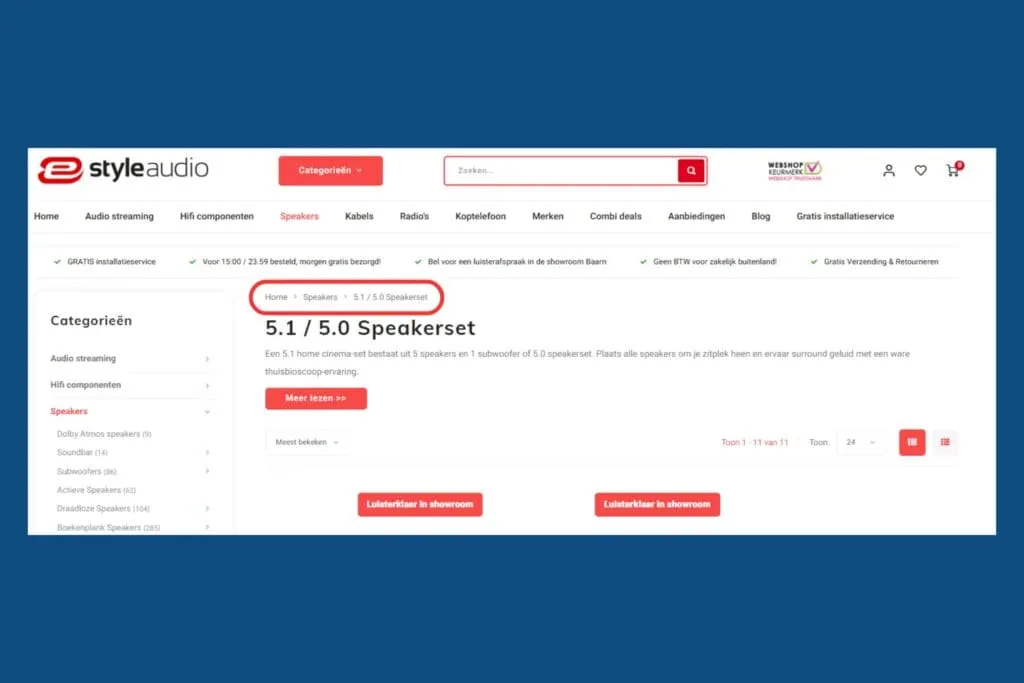
Breadcrumbs are a great way to make your website more user-friendly. This small navigation aid shows the route visitors took to reach the current page.
Example: Home > Clothing > Women's > Dresses > Summer dress > Venetia Italia Summer Dress
This helps both visitors and search engines understand where they are on your website. Visitors can easily go back to a previous category page without using their browser's 'back' button. This significantly improves the user experience, making navigating your website more intuitive and less frustrating.
Breadcrumbs are useful for search engines too. They show a clear structure of your website, helping search engines better understand how your content is organised.
This can help your pages rank better, since a clear hierarchy and navigation structure are viewed positively. In short, breadcrumbs are a simple but effective way to give both your users and your SEO a boost.
An easy way to add this is with Yoast SEO.
7. Use canonical tags
Do you have multiple colours, variants or quantities of the same product?
Then it's crucial to use a canonical tag. A canonical tag tells search engines which version of a page is the main one. This stops search engines from getting confused by seeing the same content across different URLs.
For example, if you sell a T-shirt in different colours, you might have a separate page for each colour. Without a canonical tag, Google could see this as duplicate content, which is bad for your SEO.
With a canonical tag, you designate one page as the main version. This way, Google knows which page takes priority, and you keep your rankings.
In WordPress, you can set the canonical tag by going to your product page. Use an SEO plugin such as Yoast SEO. Under the 'Advanced' tab, you can enter the canonical URL. Fill in the URL of the product version you want to mark as the main one.
Below is an explanation from Yoast SEO itself.
8. Optimise the alt text of images
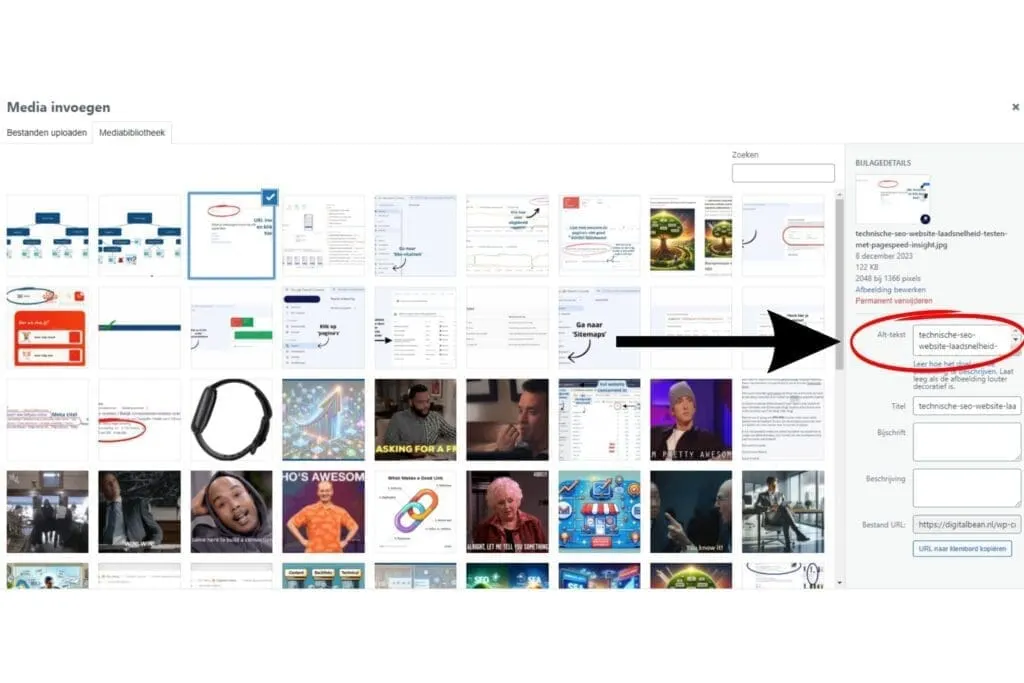
Alt text, or alternative text, is a description you add to an image on your website. Search engines use this text to understand what's in the image, because they can't "see" images the way we do. This helps your page rank better in the search results.
To optimise the alt text naturally, describe what's visible in the image, including important details and keywords. Make sure it stays logical and readable. Good alt text for a product image includes the product name and relevant features.
It's also smart to optimise the image's file name. Give the image a name that matches the alt text. This strengthens its relevance for search engines.
Example:
- Alt text: "White Nike Air Max with black laces"
- File name: white-nike-airmax-with-black-laces.jpg
9. Optimise your meta title and description
The meta title and meta description are essential for search engines because they help determine what your page is about.
A good meta title includes your most important keyword or product name, as early on as possible. This increases the chance your page ranks higher in the search results.
It's handy to use a standard format where the product name gets filled in automatically. This creates consistency and saves you a huge amount of time.
You can also include the key features of your product, or your online store's unique selling points (USPs), in the meta description. This makes your offer more appealing to potential customers.
Examples:
Meta title: White Nike Air Max with Black Laces - Comfortable and Stylish | Your Online Store
Meta description: Discover the white Nike Air Max with black laces. Perfect for any occasion, with maximum comfort and style. Order today from Your Online Store for free shipping!
With this approach, you make sure your product pages are well optimised for search engines and appealing to visitors.
10. Create a block with the categories the product belongs to
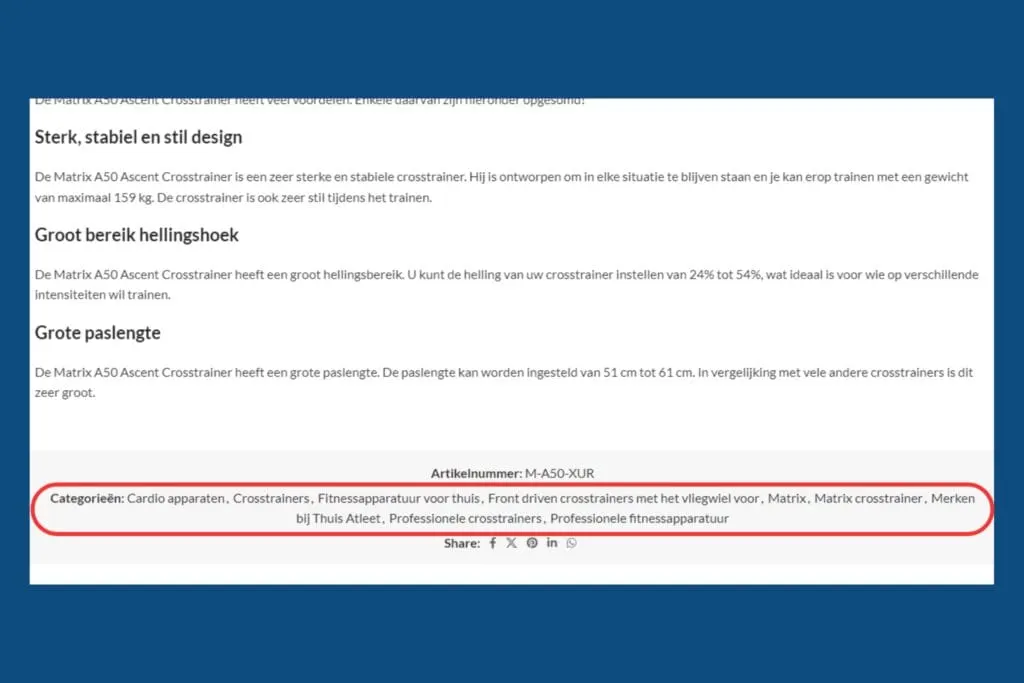
Adding a block showing all the categories your product appears in makes internal linking easy and really thorough. This block helps search engines understand how your products are organised and makes it easy for visitors to find other relevant products.
Although it might seem less natural than working links into the text itself, it's an efficient solution that saves a lot of time. By adding a clear category block, you don't have to manually add links in your descriptions every time. This means less work and a consistent structure for your website.
This block offers clear navigation and an improved user experience, which ultimately contributes to better SEO results. It's a smart way to keep both your visitors and search engines happy without extra effort.
Let's recap!
Optimising your product pages is still an untapped opportunity for many e-commerce owners, one with a huge amount of upside. That's why today we've covered 10 SEO tips you can start using right away. Here's a quick recap:
- Optimise your product title for the product name, not the general category
- Write unique product descriptions with keywords to avoid duplicate content.
- Use H2 and H3 headings in the product description to make the text scannable for visitors and understandable for search engines.
- Have a review section on the product page (30+ is optimal) to boost trustworthiness and relevance.
- Create an SEO-friendly URL with the main keyword/product name in it.
- Make use of breadcrumbs to optimise navigation.
- Set the right canonical tag on the main version of a product so you don't run into duplicate content.
- Optimise the alt text of images so search engines can also understand what's in the image.
- Optimise your meta title and meta description with keywords and key features/USPs.
- Create a block with the categories the product belongs to for internal links and easy navigation.
Also check out our blog on optimising category pages to get your category pages ranking too!
Not sure where to start, or stuck on something?
Book a free call with one of our experts at Digital Bean, and we'll be happy to help you further.